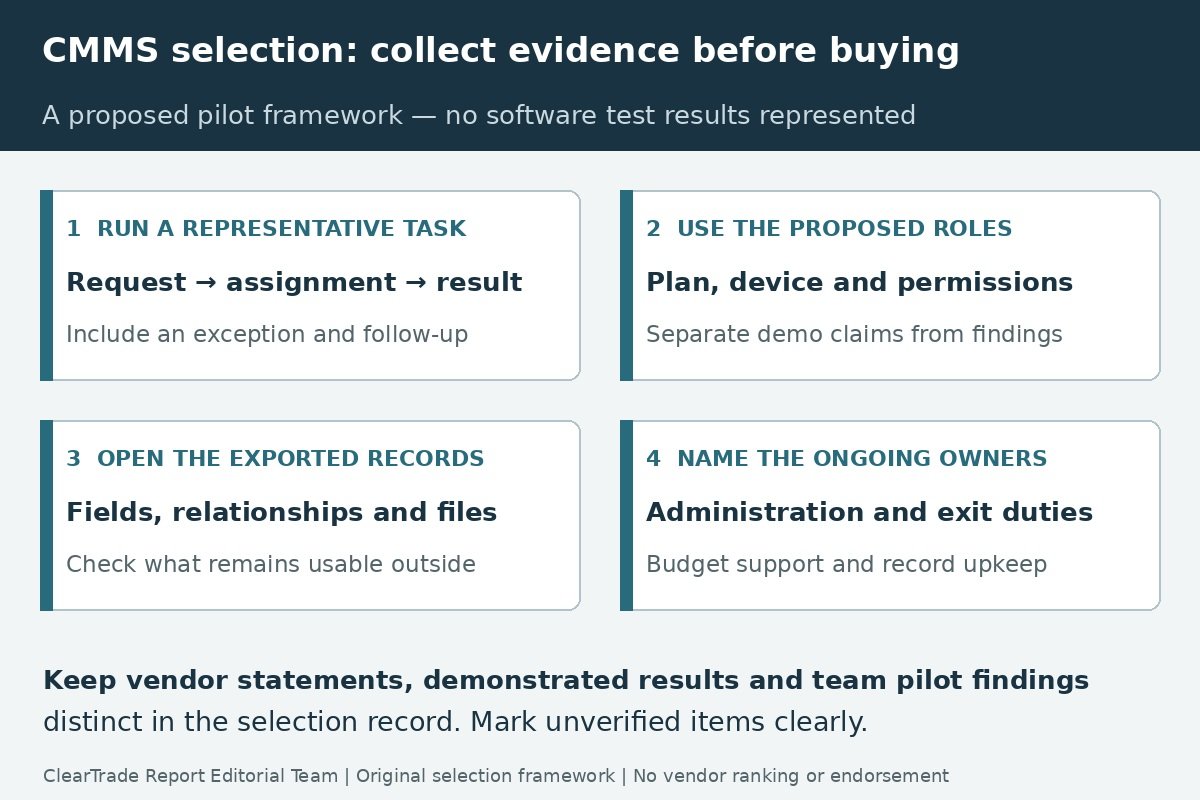
Choose a computerized maintenance management system, or CMMS, by demonstrating the work your team must complete and the records it must retain. Before committing to a subscription, require a representative work-order workflow, a readable export and a staffing plan for keeping the system current. A polished dashboard is not evidence that the proposed plan, permissions and implementation fit your facility.
This guide provides a selection and pilot framework for a small facilities team. It uses current vendor documentation as examples, not a ranked product comparison. ClearTrade did not open trial accounts, run software benchmarks or perform a hands-on migration test. No vendor is recommended or endorsed.
Start with the maintenance workflow you can actually staff
Write down how a request becomes assigned work, how its status changes, who records completion and who handles a follow-up. Include recurring tasks, contractor work and jobs waiting on access or parts. Identify the person responsible for reviewing the queue when the usual coordinator is absent.
Keep the first scope small enough to explain. For example, a site might need occupants to submit requests, a coordinator to assign work, technicians to record findings and a manager to review outstanding items. Those roles do not imply that everyone needs the same account type or access to every record.
The small-building maintenance calendar helps establish the underlying task schedule. Software should support those actual tasks and responsibilities; it should not become a second, contradictory schedule that nobody is assigned to reconcile.
Name the ongoing administrative work as well as the field work. Someone must maintain user access, correct asset references, update task instructions and check incomplete records. An implementation proposal that budgets configuration but no continuing ownership leaves an operational dependency unresolved.
Define the evidence before watching demonstrations
Prepare a short scenario using fictitious or appropriately approved data. Include an existing asset identifier, a request, an assigned task, a completion record and a follow-up. Add at least one exception that matters to the team, such as reassignment during an absence or work that cannot be completed on the first visit.
Ask each vendor to demonstrate the same scenario in the plan and roles being proposed. Record whether a capability is available, requires configuration, depends on an additional product or remains unverified. Keep a sales demonstration distinct from a task your team has performed successfully itself.
| Pilot task | Acceptance evidence to keep |
|---|---|
| Submit a request | Required information, requester visibility and a traceable identifier |
| Assign and reprioritize | Responsible person, status change and the intended notification |
| Perform the task | Instructions and relevant asset context available to the intended user |
| Record a result | Findings, time or parts where needed, and completion evidence |
| Handle an exception | A blocked, reassigned or reopened job without losing the history |
| Review outstanding work | A repeatable view with understood filters and date definitions |
| Export the sample | Required fields and relationships readable outside the platform |
| Repeat with real roles | Results under the proposed permissions, device and plan |
Define success before the presentation. “The coordinator can find all open work assigned to the site, with the chosen status definition” is reviewable. “Easy reporting” is a preference until the team names the report and checks its contents.
Compare published capabilities without treating them as test results
Vendor help documents reveal why a generic “exports available” checkbox is insufficient. The examples below were checked October 27, 2026. They describe specific documented functions, not all features, contractual entitlements or a measured comparison of the products.
| Official documentation example | What it shows | What to verify for the proposed purchase |
|---|---|---|
| MaintainX Work Order Exports | The availability table identifies web access, Premium or Enterprise plans and Administrator users for the described bulk export function | Exact plan, role and module; required columns and procedure detail |
| UpKeep How to Export Work Orders, June 17, 2026 | CSV and PDF options are described; its new Exports page specifically serves Work Order Summary PDF exports and retains generated files for seven days | Which export flow applies to the needed data and when files must be retrieved |
| Fiix Export and save backup data | The guide distinguishes record exports, reports and Analytics exports; listed reports have defined content | Which method includes the required records, custom fields and site scope |
Do not infer that a feature missing from one article is absent from the product. Conversely, a help page describing a feature does not establish its inclusion in your quoted plan. Retain the dated document and ask the vendor to resolve a mismatch with the proposed configuration in writing.
Make the export test about usable records
First list what the team needs outside the platform: work-order identifiers, asset references, dates, statuses, assigned people, completion notes, custom fields and any relevant attachments. Label which items are required and which can remain in a separate, documented archive.
Then inspect the sample output. Count the expected records, compare representative values and check how related items connect. A CSV of work-order titles is different from a history with stable identifiers and linked assets. A PDF may be useful for reading a particular job without being a practical import file for another system.
Check date and time interpretation, units, status names and the distinction between a blank value and an omitted field. If an export includes links to attachments rather than the files themselves, ask how those files will be retrieved and how long the links remain usable. Do not assume opening a file today proves continued access after an account ends.
Fiix provides a useful caution in its report list: an asset report is explicitly named “Asset List Without Custom Fields.” That is not a claim that Fiix cannot provide custom-field data by another route. It illustrates why the exact report and field coverage must be checked rather than inferred from a broad backup label.
Keep the original export, the field list, the configuration used and the results of the check. This is a proposed buyer acceptance test; this article did not run exports from any of the named services.
Treat an API as an integration project with an owner
An application programming interface can support automated access, but its existence does not create a ready-to-use exit archive. Identify the required records and files, authorization, plan availability, supported operations, pagination and limits before relying on an integration.
The UpKeep API reference documents access to work orders, assets, files and other objects, and states that API access is enabled for Enterprise accounts. That is documentation evidence, not an integration we executed or confirmation of a particular customer entitlement. Ask who will maintain the connection and handle changes to the service.
For a small team, a scheduled, documented export may be more supportable than a custom connection; another team may have a real integration requirement. Make that choice using the workflow and staffing plan. Include the cost of building, monitoring and repairing the connection rather than treating “API included” as the end of the decision.
Do not put credentials in a purchasing worksheet or a shared work-order example. Have the responsible administrator manage access through the established account process. A selection exercise can use public documentation and approved sample data without distributing production credentials.
Verify permissions with the people who will use them
Make a role matrix for requesters, technicians, coordinators, managers and external service providers as applicable. Identify what each role must see and change, and what it must not access. Ask how absence cover, new starters and departing users are handled.
Fiix work-order permission documentation distinguishes menu access from page actions and lists separate work-order administration, assignment and file permissions. This is a specific example of why a demonstration under an administrator account does not establish the experience of a technician or requester.
Use the intended device and site conditions in the proposed pilot. If offline use matters, define which actions must work without a connection and what happens when the device reconnects; do not accept an unqualified “mobile app available” as the answer. Record the observed behavior only after an authorized pilot actually takes place.
Estimate training and administration time from the agreed tasks. Include who updates procedures and who checks the quality of closeout records. A new tool does not supply missing maintenance capacity merely by making it easier to create more work orders.
Read the commercial scope and the exit terms together
Request the exact plan, user types, quantities, billing term, onboarding scope, support arrangement and optional services. Separate subscription fees from implementation, migration, integrations and continuing administration. Use a current quote rather than an undated price copied from a comparison site.
Ask what happens when access ends: who can request the data, which formats and records are available, any assistance charges, the retrieval period and deletion provisions. Keep the response with the applicable order and agreement rather than relying on a verbal assurance of data ownership.
For example, MaintainX Terms of Service section 12.5, as read for this guide, describes a 30-day electronic-retrieval period for Customer Data for a Purchased Service after termination or expiration. The surrounding provision also addresses retention and deletion. This illustrates a question to resolve in the actual agreement; it is not a determination of your contractual rights or a promise of indefinite post-cancellation access.
Complete the required records check before changing or cancelling the current system. Preserve the relevant documents and confirm the exit responsibilities while the people and access needed to do the work are still available.
Make the selection decision reviewable
Record required capabilities, the evidence supporting them, unresolved gaps and the person accepting each remaining dependency. Separate a vendor statement from a demonstrated result and a successful team pilot. Do not turn “not checked” into a passing score because the preferred product has a strong presentation.
Choose a go-live scope with named owners and a realistic cleanup plan. Keep the existing asset identities where they remain valid rather than inventing a second register solely to fit a demonstration. Document how existing open work and histories will be carried forward or retained, and how duplicate requests will be handled during transition.
At handover, retain the configuration, role matrix, accepted sample workflow, export evidence, applicable agreement and support route. Schedule the continuing record checks as real responsibilities within the facility team. The durable result is an operable maintenance process with usable records, not simply an activated subscription.
Frequently asked questions
Does a CMMS export button prove that all my records are portable?
No. Check the exact records, fields, relationships and files in the output, the required plan and permissions, and the process for retrieving data when access ends.
Should everyone in a small facility use an administrator account?
Define each role from the work it must perform and test the proposed permissions. An administrator demonstration does not establish the experience or appropriate access of every user.
Does API access remove the need for an exit plan?
No. The team still needs defined data coverage, supported access, an integration owner and a verified way to preserve usable records and files.
Has ClearTrade tested or ranked the named CMMS products?
No. This guide uses public vendor documentation to illustrate selection questions. No trial-account workflow, export, migration or software benchmark was performed.
Sources and scope
Primary documents checked October 27, 2026: MaintainX Work Order Exports; UpKeep work-order export guide and API reference; Fiix backup/export guide and work-order permissions; and MaintainX Terms of Service. Exact captures, dates and access limitations are retained in the source audit. Features and commercial terms can change. No product ranking, subscription recommendation, software testing, migration success, security certification, outside professional review or contract-specific legal conclusion is claimed.
AI tools assisted with drafting. ClearTrade Report Editorial Team checked the cited sources and edited this guide. No hands-on inspection or testing was performed.
Need a qualified professional?
Trusted Pros uses visible license-verification states and never ranks paid listings above unpaid listings.