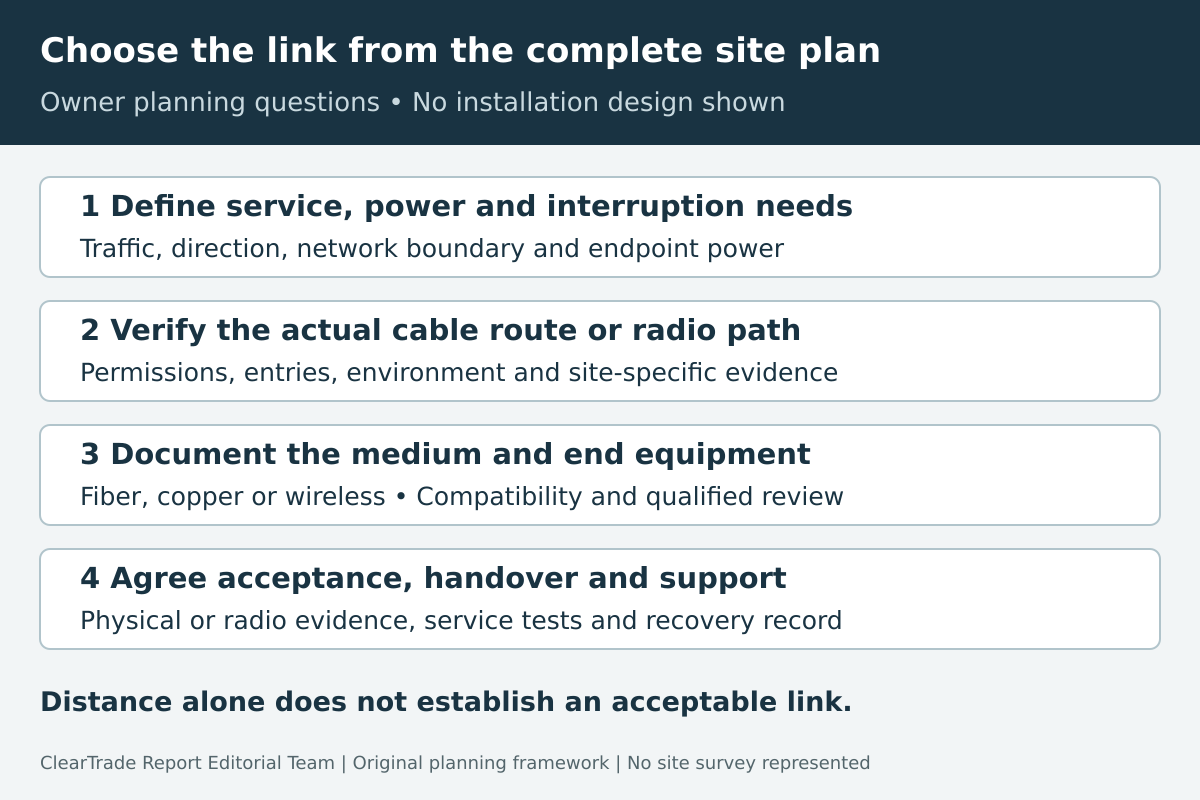
Choose a building-to-building network link from the route, required service, electrical environment and maintenance plan—not the straight-line distance alone. Fiber needs a suitable pathway and compatible end equipment. Copper needs an approved complete channel and a careful interbuilding electrical assessment. A wireless bridge needs a surveyed radio path, power and an operating plan.
This guide helps property owners and small-business IT teams request comparable designs and acceptance evidence. It does not approve a cable route, prescribe grounding or lightning protection, select radio settings, or provide excavation, roof-work or installation instructions. Primary references were checked October 28, 2026. No site survey, hands-on test or outside professional review was performed.
Define the service before selecting the medium
Write down what must work in the second building: ordinary internet access, cameras, voice, shared files, business applications or equipment controls. Record expected concurrent traffic, upload as well as download needs, latency-sensitive uses and the interruption the business can tolerate. Specify which numbers are requirements and which are estimates.
Identify the network boundary. Does the second building extend the same organization’s network, serve a separate tenant, or need an isolated guest service? Ask the network designer to define addressing, routing, access controls and management responsibility. A physical connection should not silently turn two unrelated users into one unrestricted network.
Document power at both endpoints and what must remain operational during an outage. Include the router, switch, optical modules or radios and their power supplies in that plan. A working cable or radio path does not establish that the remote equipment will have power when it is needed.
Survey the actual route and access conditions
Measure or document the proposed cable path, including entries, vertical sections, service allowance and terminations. For radio, identify the proposed antenna positions and their actual path. A map distance between two building centers does not describe either installation.
Ask who controls the land, conduit, poles, mounting locations and building penetrations. Establish permission and any utility, landlord or authority requirements before treating a pathway as available. A spare conduit on a drawing should remain unverified until the responsible party confirms its route, condition and suitability.
Record exposure to moisture, sunlight, temperature, mechanical damage, traffic and maintenance activity. Have the qualified design and installation team determine the applicable cable construction, enclosure, entry treatment and local requirements. This article supplies no burial depth, utility separation, aerial clearance or firestop design.
Compare the cost of the complete path with the equipment cost. Civil work, access restoration, entries, mounting and later service access may materially change a proposal. Keep these items explicit rather than assuming that a low device price describes the installed project.
Evaluate fiber as a complete optical channel
For the fiber-type and end-equipment comparison, see our guide to single-mode versus multimode fiber.
For a permanent link with a viable cable route, request a fiber design that identifies the fiber type, strand count, cable construction, terminations, connectors and equipment at both ends. Match the optical modules to the actual switch or router platform and intended Ethernet rate.
The Cisco Gigabit Ethernet SFP data sheet, updated October 9, 2026, shows why “fiber” alone is insufficient: optical interfaces have specified fiber types, reach and loss constraints, while platform support is a separate check. Those examples are not approval of a particular module for your installation or a recommendation to buy one.
Have the designer document the optical loss allowance and how the installed channel will be checked against it. Include connectors and splices, not just the cable length. Ask which measurements, identifiers and original test files will be handed over. A link light does not by itself establish the agreed performance or a complete acceptance record.
Resolve remote power separately. An ordinary optical data path is not a PoE power feed to the detached building; a hybrid cable or separately designed power arrangement changes the scope and needs its own assessment. Record what equipment provides local power and who maintains it.
Distinguish dielectric fiber from metallic cable construction
Do not assume every cable containing optical fibers has the same electrical characteristics. Ask whether the complete proposed cable includes metallic armor, a messenger, a tracer or another conductive element. Have the responsible specialist address those elements and the building-entry arrangement.
As a bounded construction example, Corning’s central-tube dielectric-armor indoor/outdoor family sheet, revision April 26, 2026, explicitly describes an all-dielectric product. That EMEA family sheet illustrates a construction distinction; it is not a U.S. listing determination, project specification or exemption for the rest of the installation.
Corning’s indoor/outdoor guidance also distinguishes environmental suitability from indoor flame requirements. Ask the installer to identify the exact rating and applicable entry or transition approach. “Outdoor cable” should not be accepted as a complete explanation of where it can run inside the building.
Keep the optical medium, cable construction, pathway and electrically powered equipment as separate decisions. Choosing a dielectric data cable does not eliminate all electrical, weather or equipment risks at the site.
Treat outdoor copper as an engineering and equipment question
A short distance does not automatically make an interbuilding copper proposal acceptable. Request the exact Ethernet interface, cable construction, complete channel length and equipment instructions. Ask how the design addresses the interbuilding electrical environment and applicable protection, grounding and entry requirements.
For a specific signaling example, Cisco’s SFP data sheet describes its 1000BASE-T copper interface for links up to 100 meters. That is not a universal rule for every copper technology, an extension-product approval or a statement that a shorter outdoor channel is safe. Include the entire proposed channel and its components in the design check.
The Cisco Catalyst 8500 site-preparation chapter, updated July 2, 2024, discusses lightning-related effects when signal wires pass between buildings. Its equipment-specific port restrictions and installation instructions must be read in their own context. This guide does not turn them into a generic grounding prescription.
If the proposal depends on surge devices, shielding or an extender, require the responsible qualified party to explain the complete arrangement and confirm compatibility and permitted use. A surge-protector purchase or successful connectivity test alone does not demonstrate that the interbuilding design is acceptable. Do not improvise a grounding or protection scheme from this article.
Survey wireless beyond a clear visual line
A point-to-point wireless bridge may be worth evaluating when a cable route is difficult or a temporary connection is needed. Identify the proposed equipment, operating band, mounting locations, power and network interfaces. Request an application-throughput target and an availability expectation rather than relying only on a product’s advertised radio rate.
Cisco’s Release 8.7 site-planning guide, updated April 9, 2018, describes site surveys, line of sight, Fresnel-zone obstructions, interference and weather-related conditions. It is a legacy mesh-design reference used here for planning concepts, not a current bridge-model recommendation or a source of universal configuration settings.
Ask the designer to account for the radio path around the visual line, vegetation growth, nearby structures, vehicles where relevant, mounting movement and the local radio environment. Seeing the other roof from a window does not verify the proposed antenna locations or their performance.
Have the provider confirm the appropriate equipment and permitted configuration for the installation’s location. Record responsibility for firmware, credentials, monitoring and troubleshooting. As one current product-family example, Ubiquiti’s standalone bridge-pairing guidance distinguishes basic standalone connectivity from managed operation and lists limitations. A quick paired connection is not a complete production operating plan.
Request measured acceptance results under agreed conditions. A planning-tool estimate is not a site measurement, and one successful test does not guarantee performance through every season or interference event. No radio survey, licensed-spectrum analysis or installation safety plan is supplied by this guide.
Compare complete proposals against the same requirements
The following original editorial framework organizes the evidence needed from a provider. It does not choose a medium for an unseen site.
| Option | Evidence to request | Unresolved issue to keep visible |
|---|---|---|
| Fiber | Route, construction, optics compatibility and channel acceptance plan | Pathway feasibility, entries, terminations and remote power |
| Copper | Exact interface, full channel and qualified electrical assessment | Interbuilding exposure, equipment restrictions and protection design |
| Wireless bridge | Surveyed path, permitted configuration and measured service target | Obstructions, interference, mounting, power and ongoing management |
Use the same endpoint locations, service requirements and acceptance period when comparing quotations. Separate common costs from medium-specific costs. Identify exclusions for trenching, reinstatement, power, switching, licensing, subscriptions, mounting and support instead of assuming they are included.
Consider a hypothetical owner needing business applications and cameras in a detached workshop. An existing usable conduit may make a fiber proposal practical, while an unverified or unavailable route could change the comparison. A wireless proposal needs its own surveyed path and service evidence; a copper proposal needs more than a measured short distance. None of these statements establishes the best option for an actual workshop.
Ask how the system will be restored after a failure and who holds the configuration and spare-equipment information. If resilience is part of the price, identify independent failure paths. Two links sharing the same power supply, entry point or vulnerable mounting location may retain an important common dependency.
Specify acceptance and handover before installation
Agree on what will be demonstrated, how results will be recorded and who accepts them. Define application-level requirements separately from physical-link checks, and specify the relevant network configuration and endpoints. Keep the agreed test conditions with the results.
| Handover item | What it should make traceable |
|---|---|
| As-built path or radio layout | Actual route, entry points, endpoint labels and responsible locations |
| Equipment and configuration record | Models, software versions, interfaces and controlled recovery information |
| Physical or radio evidence | Channel results or surveyed/measured radio conditions linked to the installation |
| Service test | Required traffic direction, workload, duration and observed result |
| Power and recovery plan | Supplies, backup scope, restart expectations and responsible party |
| Support record | Contacts, warranty scope, maintenance access and unresolved defects |
Have the provider document exclusions and deviations from the agreed design. Retain original relevant test files, not only a screenshot saying “pass.” A handover should identify remaining work rather than silently treating connectivity as completion.
Keep the decision record useful after the project
Retain the original requirements, route evidence, selected design, approval responsibilities, acceptance results and as-built information together. Update the record when equipment, building use, vegetation, radio conditions or the cable path changes.
Review new service needs against the actual installed channel and end equipment. A future bandwidth upgrade may depend on several components, not only changing a module or a cable. Do not promise a “future-proof” link without defining what future requirement was considered.
Primary references checked October 28, 2026: Cisco Gigabit SFP data sheet updated October 9, 2026; Catalyst 8500 site-preparation chapter updated July 2, 2024; Release 8.7 wireless planning chapter updated April 9, 2018; Corning indoor/outdoor guidance and EMEA dielectric family sheet revision April 26, 2026; Ubiquiti standalone-pairing help page, no publication date displayed. Manufacturer material supports labeled distinctions, not an endorsement, current product availability, project approval or professional review.
Frequently asked questions
Is a short outdoor copper run automatically acceptable?
No. Confirm the exact interface, full channel, equipment restrictions and interbuilding electrical assessment. Distance alone does not establish an acceptable installation.
Does fiber automatically remove every grounding and lightning concern?
No. Check the complete cable construction, including any metallic elements, and the rest of the pathway and powered equipment. A dielectric optical data path does not approve the whole installation.
Is visual line of sight enough to select a wireless bridge?
No. Request a site-specific path and radio assessment, including relevant obstructions, interference, mounting, permitted configuration and measured service results.
What should be agreed before accepting the completed link?
Define physical or radio evidence, application service tests, as-built records, power and recovery scope, management responsibilities and unresolved-item treatment before installation.
AI tools assisted with drafting. ClearTrade Report Editorial Team checked the cited sources and edited this guide. No hands-on inspection or testing was performed.
Need a qualified professional?
Trusted Pros uses visible license-verification states and never ranks paid listings above unpaid listings.