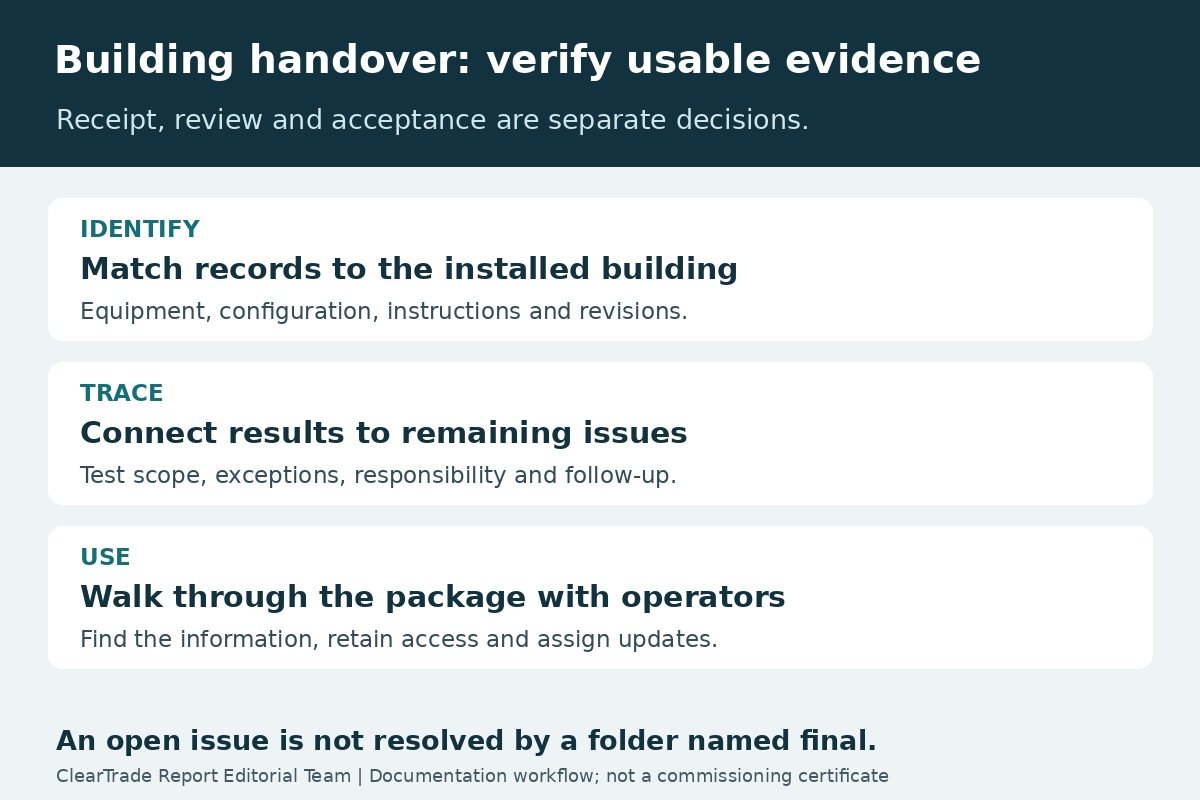
A useful building handover lets the operating team identify the installed equipment, find the current operating instructions, understand how systems work together and trace unresolved work. A folder full of product brochures does not, by itself, provide that capability.
Before accepting the documentation package, compare it with the project’s agreed deliverables and try using it. Can an operator find the approved sequence for a particular system? Can a technician connect a test result to the equipment actually installed? Can the owner identify what remains unfinished, who owns it and when it will be checked?
This checklist is an editorial workflow for facility managers and building owners. It is not a commissioning certificate, a legal acceptance form or a claim that ClearTrade inspected a building. ClearTrade Report Editorial Team reviewed public commissioning guidance; no outside professional review or hands-on testing was performed.
Define what is being accepted
Start with the contract, commissioning plan and owner’s project requirements, often shortened to OPR. The basis of design, or BOD, explains the design response to those requirements. Ask the project team to identify the final applicable versions, including agreed changes, rather than treating an early design document as the current operational baseline.
The WBDG commissioning-document guide explains that documentation responsibilities, review and acceptance vary by project and should be planned. It describes the systems manual as information for understanding, operating and maintaining the building, ideally organized in an indexed electronic format. It also distinguishes a preliminary report from completed commissioning documentation when further work remains.
Create a deliverables register before the final review meeting. For each required item, name its preparer, reviewer, due date, current revision and acceptance evidence. Keep “received” separate from “reviewed” and “accepted.” A successful file transfer proves receipt; it does not establish technical correctness.
Do not let a generic checklist silently add contractual obligations. Where the contract is unclear, record the question and have the authorized project representatives resolve it. The same applies to payment, occupancy and warranty consequences, which this article does not determine.
Check the package against the installed building
Choose a sample of systems based on the project’s importance and risk, with the responsible professionals deciding what technical verification is needed. This document exercise does not replace field testing or inspection. Its purpose is to expose broken connections between the equipment record and the supporting information.
For each selected item, start with its project identifier and location. Follow the links to the installed model, approved submittal, applicable manufacturer operation and maintenance instructions, drawings and relevant test records. Note whether a file refers to a proposed substitute, an abandoned design or an entire product family without identifying the installed configuration.
An original acceptance register can use the following structure. Adapt the rows to the agreed project scope.
| Deliverable | Practical review question | Evidence of resolution |
|---|---|---|
| Equipment identities and locations | Can staff connect a physical asset to the correct records? | Consistent tags, locations and installed model references |
| Operating sequences and control information | Is the current intended behavior identifiable? | Approved sequence and revision, with unresolved differences logged |
| Manufacturer O&M instructions | Do the instructions match the installed equipment and accessories? | Applicable documents linked to the equipment record |
| Drawings and configuration records | Do the delivered records identify what was actually installed? | Reviewed record set with revision and responsible party |
| Test and commissioning evidence | Can the reported result be traced to a procedure, asset and date? | Completed records and documented disposition of exceptions |
| Training and open items | Can staff use the package, and can they find remaining work? | Training evidence and an assigned, dated issues list |
A file named “final” is not a revision-control method. Ask which document is authoritative, who approved it and which earlier file it supersedes. Preserve historical records where required, while making the current operating copy easy to distinguish.
Read test results together with the issues log
Ask the reviewer to check the relationship between a reported pass, any conditions attached to that result and the current issue status. A report may cover only part of a system, one operating mode or a particular set of conditions. Its scope should be visible without guessing from the filename.
The Department of Energy’s federal commissioning-process guide separates investigation, implementation and handoff. It includes retesting and monitoring after improvements, followed by documentation of the work and a plan for future commissioning. This is federal process guidance, not a universal private-building acceptance rule.
For every unresolved issue, retain a description, affected equipment, responsible party, target date, required evidence and the person authorized to close it. If testing is deferred, distinguish the reason for deferral from a successful result. Record what conditions must be available for the later test and how the operating team will be informed of the outcome.
For example, a fictional rooftop-unit package might contain a startup sheet and an open entry for a control sequence that has not yet been demonstrated. The documentation reviewer should preserve both facts. Renaming the folder “commissioning complete” does not resolve the open sequence issue. The responsible project professionals must determine the appropriate technical and contractual disposition.
Test whether staff can use the delivered information
Arrange a document walkthrough with the people expected to operate the building. Ask an operator to locate the normal operating schedule, an approved maintenance instruction and the support contact for one selected system. Ask where they would record a revised setting or a future equipment replacement.
Keep this exercise within the participants’ authorization and training. It is not a reason to operate safety devices, defeat interlocks, change setpoints or simulate faults. Where a technical demonstration is required, have the responsible qualified team plan and conduct it under the project’s procedures.
WBDG’s roles-and-responsibilities guidance describes commissioning as a team effort, including review of documents, issue logs and training as scoped. It does not assign every task to one contractor regardless of the project agreement. Confirm who will deliver training, who must attend and who reviews the resulting evidence.
A sign-in sheet shows attendance, not necessarily that every specified topic was covered. Keep the agenda, materials, equipment covered, outstanding questions and any planned follow-up together. Link the training materials to the same document revisions used for handover.
Preserve access and an update process
Have the owner confirm that the package can be opened with the tools and accounts the operating team will actually retain. Check bookmarks, links, searchable text and any dependencies on a departing contractor’s account. Where specialist software or a vendor service is involved, document the owner’s authorized access and support arrangements without placing passwords in a broadly distributed manual.
Ask for the agreed export or retained copy before project access expires. A link to a contractor’s portal is not the same as a confirmed long-term retention arrangement. Record who maintains the authoritative copy and how future revisions will be approved and distributed.
Choose a straightforward naming and revision convention that staff can sustain. For a smaller facility, a well-indexed set of files may be more useful than an elaborate platform nobody maintains. This guide does not require buying software or creating another database.
Use the accepted information to inform the building’s preventive-maintenance calendar. Keep the actual manufacturer instructions and project requirements behind each maintenance task; a calendar entry is not a substitute for them.
For sewer work, retain the original inspection separately from repair completion evidence. Our sewer-camera report review guide explains how to connect video coverage, observation locations, limitations and the proposed scope.
For water-heater work, keep the expansion-control selection and setup records with the completed system information. Our expansion-tank documentation guide outlines the closed-system basis, sizing assumptions and completion evidence to request.
Record the decision and the remaining work
At the review meeting, identify which documents were accepted, which need correction and which depend on later work. Record the authorized decision, supporting evidence and the next action for each unresolved item. Use the project’s agreed acceptance terminology rather than inventing a new legal status.
After corrections arrive, verify the revised file and its links before closing the entry. Keep the previous version and the review trail according to the project’s retention requirements. Make sure the operating team receives the accepted revision, not just the person who attended the closeout meeting.
The systems manual should remain useful after the original team leaves. A future operator should be able to understand the installed arrangement and find the record of a change without relying on someone’s memory of construction.
Sources and review scope
Sources checked October 26, 2026 Pacific: WBDG’s commissioning-document and team-responsibility guidance, and DOE’s commissioning-process guidance for federal facilities. WBDG references earlier editions of commissioning standards; this article does not claim those are the latest editions, reproduce their tables or assert compliance with a paid standard. Its register and walkthrough questions are an original editorial workflow.
No project OPR, BOD, manufacturer-specific manual or test result was supplied for review. The article therefore does not certify any building, prescribe equipment procedures or determine legal acceptance, payment rights or warranty coverage.
Frequently asked questions
Is a folder of O&M manuals a complete systems manual?
Not necessarily. Compare the package with the agreed project requirements and check whether it connects the installed equipment, operating information, supporting evidence, training and remaining issues.
Does receiving the files mean the documents are accepted?
No. Record receipt, review and authorized acceptance separately. Follow the project’s agreed process and retain the evidence supporting each decision.
Can a deferred test be marked as passed?
No. Record the deferral, reason, responsible party, required conditions and follow-up. A future test needs its own result and authorized disposition.
Should the handover file contain shared passwords?
Do not place credentials in a broadly distributed manual. Document the owner’s authorized access and support arrangements, and manage credentials through the owner’s approved secure process.
AI tools assisted with drafting. ClearTrade Report Editorial Team checked the cited sources and edited this guide. No hands-on inspection or testing was performed.
Need a qualified professional?
Trusted Pros uses visible license-verification states and never ranks paid listings above unpaid listings.