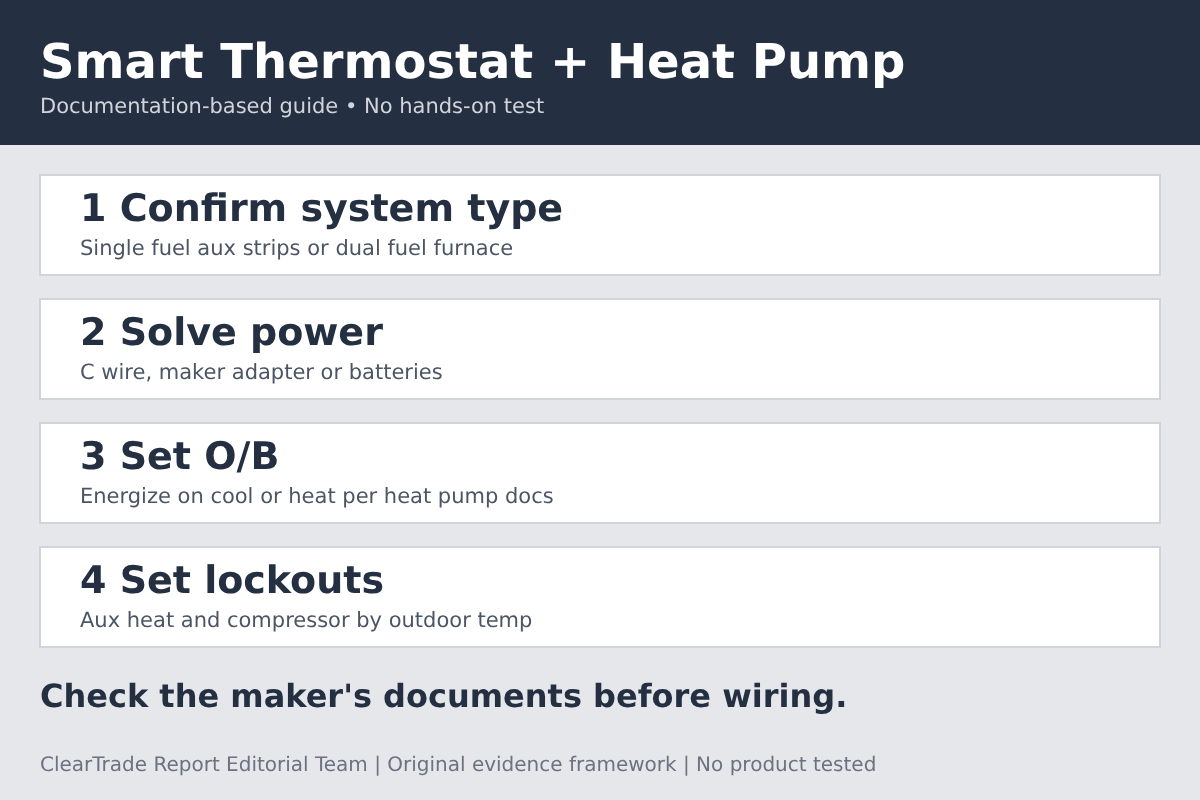
Before you use a smart thermostat with a heat pump, check four things in the maker’s documents: that the thermostat supports your system type (heat pump with electric auxiliary heat, or dual fuel with a furnace), how it gets power if there is no C wire, which way the O/B reversing valve is set, and how it limits auxiliary heat and the compressor by outdoor temperature. Manufacturer documents differ on all four, and ENERGY STAR certification does not answer these wiring questions.
Evidence label: Documentation-based guide. ClearTrade Report Editorial Team checked documents from the U.S. Environmental Protection Agency’s ENERGY STAR program, Google (Nest), ecobee and Resideo (Honeywell Home) on November 20, 2026. No outside professional review was performed and nothing was tested. Companies and products named are documentation examples, not recommendations. This guide contains no affiliate links.
Start with the wires a heat pump uses
A heat pump thermostat controls more than “heat on” and “cool on.” Google’s Nest Help page Identify a thermostat wire lists the jobs:
- Y or Y1 (compressor). “If you have a heat pump, your Y or Y1 wire controls your compressor.”
- O/B (reversing valve). “Heat pump systems use a changeover valve controlled by the O/B wire.”
- W2 or AUX (auxiliary heat). “If you have a heat pump, the W2 wire may control your auxiliary heat.”
- E (emergency heat). “The E wire turns your emergency heat on or off.”
- C (common). This wire “can help provide power to your thermostat.”
The same page warns that “you shouldn’t rely on color alone to determine the function of a wire.” Note which terminal each wire is attached to at the old thermostat, not its color.
Single fuel or dual fuel. The Nest thermostat compatibility page describes “A dual fuel heating and cooling system (also called a hybrid or packaged system)” as a heat pump combined with a furnace. The Nest heat pump configuration guide says “you must select Single Fuel for heat pumps with AUX heat strips, or Dual Fuel for systems with a gas furnace.” The compatibility page adds: “If you have a dual fuel system, you will need to have a trained professional set up your thermostat,” because “choosing incorrect options for a dual fuel system can result in damage to your system.”
Safety. The wire identification page says “Your HVAC system uses high voltage, which can be dangerous.” The compatibility page says “High voltage systems, such as electric baseboard heaters, aren’t compatible with Nest thermostats.” Resideo’s T6 Pro Z-Wave Professional Install Guide says “We strongly recommend that installation is performed by a trained HVAC technician.” If anything at the thermostat looks unfamiliar, stop and call a qualified HVAC technician.
Power: the C wire question
The Nest compatibility page says “C wires help deliver power from the system to the thermostat in case the other wires can’t provide enough power,” and “The common (C) wire doesn’t control heating or cooling.”
Each maker handles a missing C wire its own way:
- Google Nest. In the compatibility table, the Nest Thermostat column carries the note “C wire or Nest Power Connector required” on its two heat pump rows, “Single stage heat pump with or without AUX heat” and single stage heat pump with single stage furnace (dual fuel). The same note also appears on that model’s heat only, cool only and Heat+Cool row, so it is not specific to heat pumps. The table shows no Nest Thermostat check mark for two stage heat pumps or for heat pumps with a two stage furnace. The table adds no C wire note in the columns for the Nest Learning Thermostat (3rd gen), Nest Thermostat E or Nest Learning Thermostat (4th gen). The page says a professional can “install the power connector or run a C wire for you.”
- ecobee. The Power Extender Kit page calls the kit “an easy and cost-effective solution for homes without a C or common wire.” It works by “combining the Y and G functionality into one wire, freeing up a C wire.” The page says “it is only compatible with ecobee smart thermostats” and “Most ecobee thermostat installations do not require the Power Extender Kit.” The page does not mention heat pumps, so we cannot say from it whether the kit suits a heat pump. Ask ecobee or your installer before you count on it.
- Resideo T6 Pro Z-Wave. The install guide says “If a C wire is not used or present, the thermostat must be powered by batteries.”
The Nest compatibility page says “Professional installation is recommended for some systems since their wiring and setup can be complicated.” Treat a new wire run or an adapter at the equipment as a job for a qualified HVAC technician.
O/B reversing valve: energized on cool or on heat
The reversing valve switches the heat pump between heating and cooling. Depending on the equipment, the thermostat energizes the O/B terminal either for cooling or for heating, and the thermostat setting has to match the equipment.
The Resideo T6 Pro Z-Wave guide puts this in installer setup item 218: “Select whether reversing valve O/B should energize on cool or on heat.” The Nest configuration guide says “Orientation can be O or B and activated seasonally or each cycle.” It explains the two timing choices:
- ““Each cycle” Only energizes O/B terminal with a call for heating/cooling.”
- ““Seasonally” Constantly energizes O/B terminal in Heat/Cool mode.”
Check the heat pump’s own documents for which setting it needs, and ask the installer to record it.
Aux heat lockout and compressor lockout
Auxiliary heat (often electric strips) is the expensive backup. Google’s Heat Pump Balance help page says AUX heat “can cost about 2 to 5 times as much as running your heat pump.” Two settings decide when each heat source may run:
- Aux heat lockout. Above this outdoor temperature, aux heat is blocked.
- Compressor lockout (balance point). Below this outdoor temperature, the compressor is blocked.
Google Nest. The configuration guide lists “Auxiliary Heat Lockout” with “Default: 40°F” and “Range: 0°F to 70°F or Always,” and “Compressor Lockout” with “Default: -25°F” and “Range: -25°F to 32°F or Always.” It says “The lockout or breakpoint temperatures use the temperature provided by the Wi-Fi connection,” and that Nest thermostats “do not support an outdoor temperature sensor.” By default, Heat Pump Balance sets the aux lockout for you. Its Help page lists Max Comfort (the default), Balanced, Max Savings and Off. With Off, “your thermostat will use your AUX heat based on a lockout temperature you set.” The page adds “To use Heat Pump Balance, your thermostat must also be connected to Wi-Fi.” The configuration guide says “Heat Pump Balance does not apply to Dual Fuel Systems.” Those use a manually set breakpoint instead.
Resideo T6 Pro Z-Wave. Installer setup 355 (compressor lockout) offers “Off, 5 °F to 60 °F (in 5 °F increments),” and 356 (aux heat lockout) offers “Off, 5 °F to 65 °F (in 5 °F increments).” The guide says “Compressor Lockout requires an outdoor temperature” and “Aux Heat Lockout requires an outdoor temperature.” For that, it says to “Use a wired outdoor sensor connected to the “S” terminals.” It also says “Do NOT use W for heat pump applications. Auxiliary heat must wire to AUX or E.”
Which lockout temperatures suit your home depends on your heat pump’s cold-weather capacity. Our guide to Heat Pump COP, HSPF2 and SEER2: Compare Ratings at the Conditions That Matter explains how to read that performance data.
| Check | Google Nest documents | Resideo T6 Pro Z-Wave guide | ecobee Power Extender Kit page | What to confirm |
|---|---|---|---|---|
| No C wire | Nest Thermostat model: “C wire or Nest Power Connector required” on its single stage heat pump rows (and on other system rows); no such note for other Nest models | “must be powered by batteries” | Kit frees a C wire by combining Y and G; heat pumps not mentioned | Your model’s power option is stated for your system type |
| O/B setting | O or B, energized “seasonally or each cycle” | Setup 218: energize on cool or on heat | Not covered | Setting matches the heat pump maker’s documents |
| Aux heat lockout | Default 40°F, range 0°F to 70°F or Always; or Heat Pump Balance | Setup 356: Off or 5°F to 65°F; needs wired outdoor sensor | Not covered | Where the outdoor temperature comes from |
| Compressor lockout | Default -25°F, range -25°F to 32°F or Always | Setup 355: Off or 5°F to 60°F; needs wired outdoor sensor | Not covered | Value suits your heat pump’s rated cold-weather range |
| Dual fuel | Trained professional should set up; Heat Pump Balance does not apply | Not reviewed here | Not covered | Breakpoint setting is recorded by the installer |
What ENERGY STAR certification does and does not cover
The ENERGY STAR Smart Thermostats Key Product Criteria page links to the “ENERGY STAR Program Requirements for Connected Thermostats Version 1.0.” It sets savings criteria based on heating and cooling run time, and requires certified products to “report electric resistance heat use for heat pumps.” Its Table 2 lists “Average resistance heat utilization for heat pump installations” measured as a “National mean in 5 ⁰F outdoor temperature bins from 0 to 60 ⁰F,” with the requirement listed as “Reporting Requirement.”
So ENERGY STAR tracks how much resistance heat heat pump homes use across the product’s customer base. It does not set a pass or fail limit for that figure.
The criteria page does not address C wires, O/B wiring, lockout settings or which equipment a model is compatible with. A certified thermostat can still be miswired or misconfigured for your heat pump. Use the maker’s compatibility tools and install documents for those checks.
Know the limits of this guide
This guide reads published documents. Nothing was installed or tested. We could not load ecobee’s support articles on heat pump threshold settings, so we do not describe ecobee’s aux heat or compressor lockout controls. The Resideo document we read covers the T6 Pro Z-Wave model; other T-series models may differ. Nest settings and defaults may change with software updates. We do not say which lockout temperature is right for any home. Any change at the furnace, air handler or outdoor unit, or any line-voltage work, belongs to a qualified HVAC technician.
Primary references checked November 20, 2026: U.S. Environmental Protection Agency, ENERGY STAR Smart Thermostats Key Product Criteria (web page linking to ENERGY STAR Program Requirements for Connected Thermostats Version 1.0); Google, Heat Pump Balance (Google Home and Nest Help); Google, Nest thermostat compatibility (Google Home and Nest Help); Google, Identify a thermostat wire (Google Home and Nest Help); Google, Nest thermostat heat pump configuration guide (PDF, file labeled q2_26, covering Nest Learning Thermostat 4th gen and Nest Thermostat); ecobee, Power Extender Kit product page; Resideo (Honeywell Home), T6 Pro Z-Wave Programmable Thermostat Professional Install Guide, 33-00587EFS-09.
Frequently asked questions
Do I need a C wire for a smart thermostat with a heat pump?
It depends on the model. Google’s compatibility table notes a C wire or Nest Power Connector as required for the Nest Thermostat on the single stage heat pump systems it supports, and on some other system types. The table adds no such note for the other Nest models listed. Resideo’s T6 Pro Z-Wave guide says it runs on batteries without a C wire. Check your model’s documents for your system type.
What does the O/B setting do?
It tells the thermostat whether to energize the heat pump’s reversing valve on a call for cooling or on a call for heating. Resideo’s T6 Pro Z-Wave guide calls these O/B on Cool and O/B on Heat. Check the heat pump’s own documents for which one your equipment needs.
What is an aux heat lockout temperature?
It is the outdoor temperature above which auxiliary heat is blocked. Google’s Nest guide lists a 40°F default with a 0°F to 70°F range, or Heat Pump Balance, which needs a Wi-Fi connection, can set it automatically. Resideo’s T6 Pro Z-Wave guide says its lockouts need a wired outdoor sensor.
Does ENERGY STAR certification mean a thermostat works with my heat pump?
No. The ENERGY STAR criteria cover run time savings, required features such as scheduling, and reporting of resistance heat use in heat pump homes. They do not address wiring, C wires or equipment compatibility. Use the maker’s compatibility checker and install guide.
Disclaimer: This guide is general information based on manufacturer, government and standards documents, not professional HVAC or electrical advice for a specific home or system. Confirm compatibility with the thermostat maker and have a qualified HVAC technician handle wiring changes at your equipment. Product documents and settings may change. AI tools assisted with drafting. ClearTrade Report Editorial Team checked the cited sources and edited this guide.
Need a qualified professional?
Trusted Pros uses visible license-verification states and never ranks paid listings above unpaid listings.